Online Training Deck

DJI FlightHub 2 On-Premises

A focused 30-60 minute training flow for functional overview, on-premises license module selection, remote support SLA, and Dock solution configuration.

Dock
UAV
FH2
Online Devices14
Live Streams6
Route Plans38
Remote SLAActive
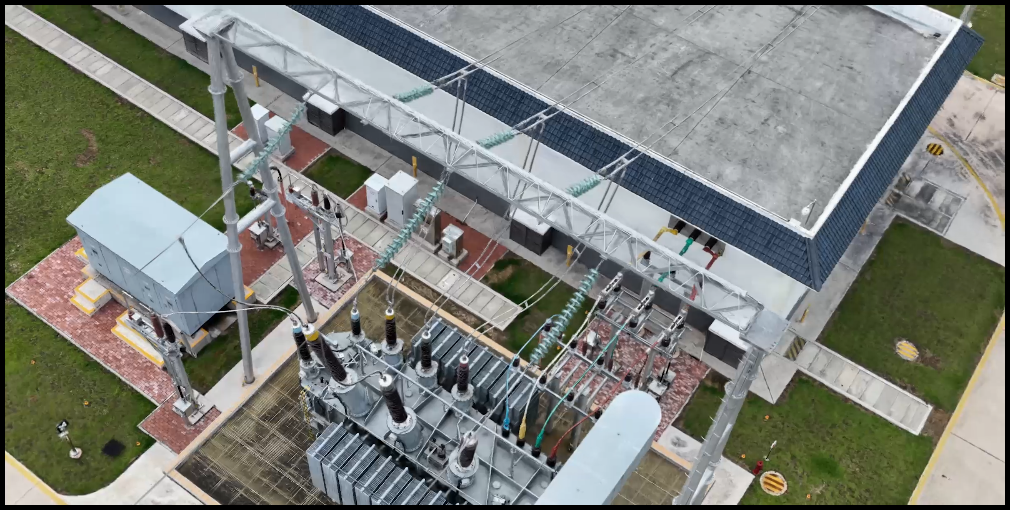
DJI FlightHub 2 official logo Official DJI product visual

Training Scope

What the session will cover

The flow follows the customer's requested agenda and adds a live configuration demonstration using the AERONEX Dock 3 tool.

Part 01

FlightHub 2 Overview

Remote operations, live situational awareness, route planning, media/model workflows, OpenAPI, and FlightHub Sync.

Part 02

On-Prem License Logic

Base package, device expansion, upgrade validity, online-device calculation, and a sample module selection case.

Part 03

AERO CARE Remote SLA

Remote technical channels, response targets, troubleshooting scope, and certified-dealer eligibility.

Part 04

Dock Configurator Demo

Open the configurator, select Dock quantity and subscription years, then generate a reference package structure.

Part 01 | Overview

FlightHub 2 is the operational layer for connected drone work

DJI positions FlightHub 2 as a cloud-based drone operations management platform with remote control, intelligent flight scheduling, flight route management, and third-party integration. For on-premises customers, the same operational logic is deployed into a private environment.

Real-Time Remote Operation Official DJI animated media from the FlightHub 2 page.
Dashboard Overview Official FlightHub 2 dashboard visual with live map, task status, and video panels.
OperateCommand aircraft and Dock missions from a centralized interface.
Remote Control
FlyTo Dispatch
Virtual Cockpit
Task Progress
UnderstandKeep operators aligned with live video, annotations, maps, and task telemetry.
Live Annotations
Simultaneous Livestreams
3D Route Editing
Device Status
IntegrateConnect files, events, models, livestreams, and business systems.
FlightHub Sync
OpenAPI
RTMP / RTSP Forwarding
OAuth 2.0

Functional Overview

Key capabilities to highlight in training

These are the customer-facing feature groups most relevant to partner teams: real-time command, collaborative awareness, automated workflows, and IT integration.

Remote Control

Operate supported aircraft remotely through the virtual cockpit, using mouse and keyboard workflows for precise camera and mission control.

Multi-Drone Control

Coordinate multiple drones through the virtual cockpit, including synchronized control and collaborative operational workflows.

Smart Track

Use intelligent algorithms for detection, counting, alerts, and continuous tracking of objects such as vehicles, boats, and people where supported.

FlyTo Tasks

Set a destination and let FlightHub 2 plan the route and guide the drone to the target location for faster response.

AR Street

Overlay key geographic information on the live video feed to improve operator awareness in complex environments.

Intelligent Inspection

Apply AI-assisted recognition and alerting to improve inspection efficiency and turn live mission data into faster decisions.

Media source: DJI FlightHub 2 official page

Integration Story

From drone operation to enterprise workflow

FlightHub 2 can act as a platform layer, not only an operator screen. FlightHub Sync enables code-free file and event synchronization, while OpenAPI supports deeper integration with customer systems.

Live Annotations Coordinate objects, routes, and task areas across devices.
Livestream Sharing Share live mission feeds for team collaboration.
Simultaneous Livestreams View multiple drone feeds with flexible livestream layouts.
1

Mission

Dock or aircraft executes route, patrol, or response task.

2

Live Data

Video, status, media files, models, routes, and annotations are generated.

3

FlightHub Sync

Configure file sync, livestream forwarding, events, and notifications.

4

OpenAPI

Use RESTful APIs for customized platform or system integration.

5

Business System

Connect to inspection, emergency, security, or asset-management workflow.

AI & Multimodal Intelligence

From assisted operation to AI-enabled inspection

DJI's current FlightHub 2 positioning adds stronger AI capability to the command workflow: Copilot support, AI detection and alerts, multimodal object search, and multimodal media search for faster evidence review.

Multimodal Object Detection Search for objects through text or image input in the Virtual Cockpit.
Copilot

Conversational Remote Control

Operators describe objectives, and the AI agent translates the intent into drone instructions while keeping human confirmation in the loop.

Detection

AI Detection

Detect and count objects such as vehicles or boats, with room for third-party algorithms where supported.

Reports

AI Alerts & Reports

Detection results can trigger alerts and keep records with object type, location, timestamp, and imagery for traceability.

Search

Multimodal Media Search

Use text or image queries to locate matching objects across collected imagery and video data, accelerating report preparation.

Media source: DJI FlightHub 2 official page

Route Planning & Automated Workflows

Plan, schedule, execute, and automate repeatable missions

Beyond basic route planning, DJI's official feature set now emphasizes specialized route types and chained automation for response, patrol, inspection, mapping, and periodic data workflows.

Waypoint RoutesComplex waypoint missions based on 3D models, with point-by-point capture actions.
Patrol RoutesRegion- or object-based patrol planning for automated detection and alerting.
Mapping RoutesArea and linear routes for 2D/3D mapping, corridors, rivers, roads, or pipelines.
Smart 3D CaptureGenerate refined routes along object surfaces from a rough model.
Slope RoutesPlan single-side detailed mapping for bridges, slopes, and similar structures.
Geometric RoutesPlan detailed collection for single buildings and geometric structures.
TriggerAlert, event, or planned schedule starts the workflow.
FlyTo TaskDispatch drone to the target location.
Aircraft ActionExecute capture, patrol, or inspection action.
OutputSync data for modeling, analysis, and reporting.
Automated Periodic Workflow Connect collection, reconstruction, analysis, and application into repeatable operations.
Feature source: DJI FlightHub 2 official page

Data Analysis & Cloud Modeling

Turn mission output into models, measurements, and decisions

FlightHub 2's data workflow connects automatic upload, cloud modeling, analyzer tools, measurement reports, result comparison, and AI change detection to support mapping, construction, inspection, and project progress review.

DJI Terra cloud modeling electricity scene
Cloud Modeling DJI Terra visual reference for reconstruction and scene modeling workflows.
Measurement and Calculation Measure coordinates, elevation, length, area, volume, slope, cross-section, and profile.
Modeling

Cloud Modeling

2D/3D reconstruction, point cloud outputs, real-time 2D reconstruction where supported, and Modeling API integration.

Analyzer

Measurement Report

Measure coordinates, elevation, length, area, volume, slope, cross-section, and profile, then generate reports.

Comparison

Result Comparison

Compare photos, panoramas, or orthomosaics side by side, with annotations synchronized to map context.

AI Analysis

AI Change Detection

Detect changes between two top-down imagery sets or orthomosaics and generate statistical reports.

Media source: DJI FlightHub 2 official page

Safety, Compliance & Data Security

Control airspace rules, user access, and deployment boundaries

For enterprise and on-premises discussions, the key message is controlled operation: safety zones, project permissions, secure authentication, airspace awareness, localized compliance options, private deployment, and recognized security certifications.

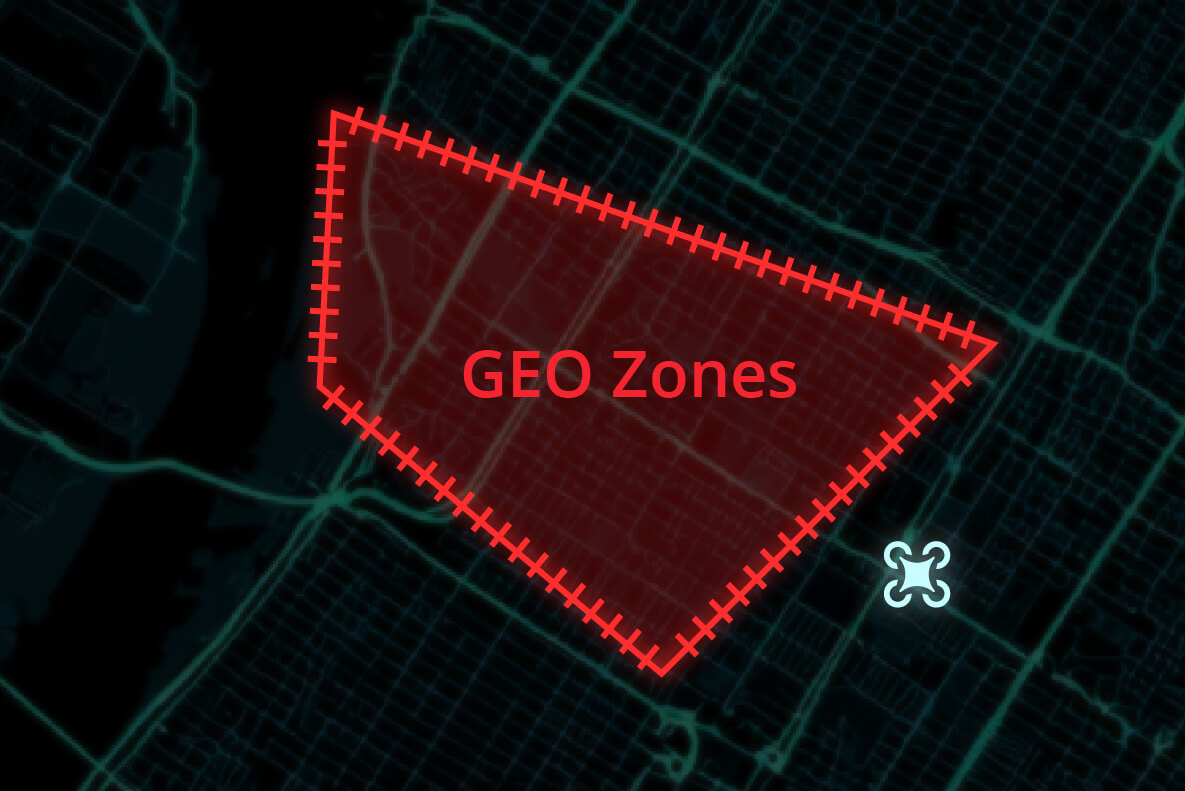
DJI FlightHub 2 Custom GEO Zone interface
Custom GEO Zone Configure task areas, no-landing zones, and obstacle data to support safer operations.
Custom GEOTask areas, GEO Zones, no-landing zones, and obstacle data.
Roles & PermissionsProject-level role and permission control for orderly operations.
SSO / MFASingle Sign-On and Multi-Factor Authentication for secure login.
ADS-BAirspace awareness and conflict alerts from manned aircraft broadcast signals.
Remote IDLocalized compliance options can include remote ID broadcast where required.
Private DeploymentOn-premises deployment can run in an isolated intranet environment.
Security Certification

ISO 27001 / ISO 27701

DJI states that FlightHub 2 holds ISO 27001 and ISO 27701 certifications. For customer-facing material, use this as an official reference point and avoid adding unverified security claims.

Feature source: DJI FlightHub 2 official page

Part 02 | On-Premises License

License planning starts with online device capacity

The on-premises version is designed for private intranet deployment. The official billing logic focuses on the number of devices that can be online simultaneously, not simply the total number of devices bound in the organization.

Base Package 1-device version. Required starting point. Supports one online device and can be expanded.
+
Device Expansion Add +1 device or +5 devices according to the required simultaneous online capacity.
+
Upgrade Validity Base package includes 1 year of free upgrade validity. Add 1-year extension if longer upgrade coverage is required.
Module Planning Meaning Training Message
Base Package Mandatory first module, 1 online device, expandable. Always start with one base package for the on-premises environment.
Device Expansion +1 or +5 online devices. On-premises can be expanded up to 200 simultaneous online devices. Calculate peak concurrent aircraft / Dock online demand, then add expansion modules.
Upgrade Validity 1-year extension for software upgrade validity beyond the included first year. Match upgrade validity to the customer's expected subscription / support period.
Included Capabilities Unlimited livestream minutes, storage, and mapping images; single mapping task limited to 2,000 photos. Resource consumption is not the bottleneck; online device capacity and upgrade validity drive configuration.

License Example

Sample case: 10 Docks, 3 subscription years

Use this as the training exercise requested by the customer. The exact commercial SKU naming should be confirmed by the dealer quotation system, but the capacity logic is straightforward.

Assumption

Project size10 DJI Dock units
Online capacity target10 simultaneous online devices
Subscription / upgrade period3 years
Primary logicCapacity + validity

Reference module structure

Base package1-device version x 1
Expansion capacity+9 online devices
Efficient expansion split+5 x 1, +1 x 4
Upgrade validityAdd 2 years if 3-year upgrade validity is required

Note: In a dual-control scenario where one aircraft is simultaneously controlled by a remote controller and a Dock, the official manual states it counts as one online device. Final package names and commercial availability should be confirmed before quotation.

Part 03 | AERO CARE

Remote software support for FlightHub 2 On-Premises

AERO CARE is positioned here as a remote support SLA for authorized dealers operating DJI FlightHub 2 On-Premises. This section focuses on remote assistance, escalation, response commitments, and software-support continuity.

Eligibility

Who should subscribe

Authorized dealers under the AERONEX dealer structure whose technical support personnel have completed DJI-required training and obtained official FlightHub 2 On-Premises certification.

Operational goal: reduce downtime by giving dealer teams a clear remote escalation path for software deployment and operational issues.

Remote SLA

Response targets for remote technical support

Priority Issue Description Initial Response Target Resolution
Critical Complete software failure or major operational disruption. 1 hour, 24/7 4 hours
High Major functions impaired but the system is not fully unavailable. 4 hours 1 business day
Low Partial functionality issue, clarification request, or non-critical support case. 1 business day 3 business days
Troubleshooting

Remote diagnosis based on logs, configuration review, and reproduction steps provided by the dealer or customer team.

Configuration

Guidance for deployment settings, organization configuration, best practices, and documentation interpretation.

Escalation

Structured remote escalation path for issues that require deeper product or deployment investigation.

Part 04 | Live Demo

Use the AERONEX Dock tool to demonstrate configuration

The recommended demo flow is to open the configurator, enter Dock quantity and subscription years, review required modules, then explain how the output maps back to the on-premises license logic.

Dock 3 Solution Configurator
1. Project Input Dock quantity, aircraft type, and subscription years.
2. Hardware List Dock, aircraft, batteries, accessories, and service items.
3. FH2 License Base package, expansion modules, and validity period.
4. Output Reference bill of materials for review and quotation.

Closing

Key takeaway for partner teams

FlightHub 2 is the command and integration platform; on-premises licensing is planned around simultaneous online device capacity and upgrade validity; AERO CARE gives dealers a remote SLA path for software support; and the Dock configurator turns the logic into a repeatable package-selection workflow.

01 / 11